Telling History Digitally

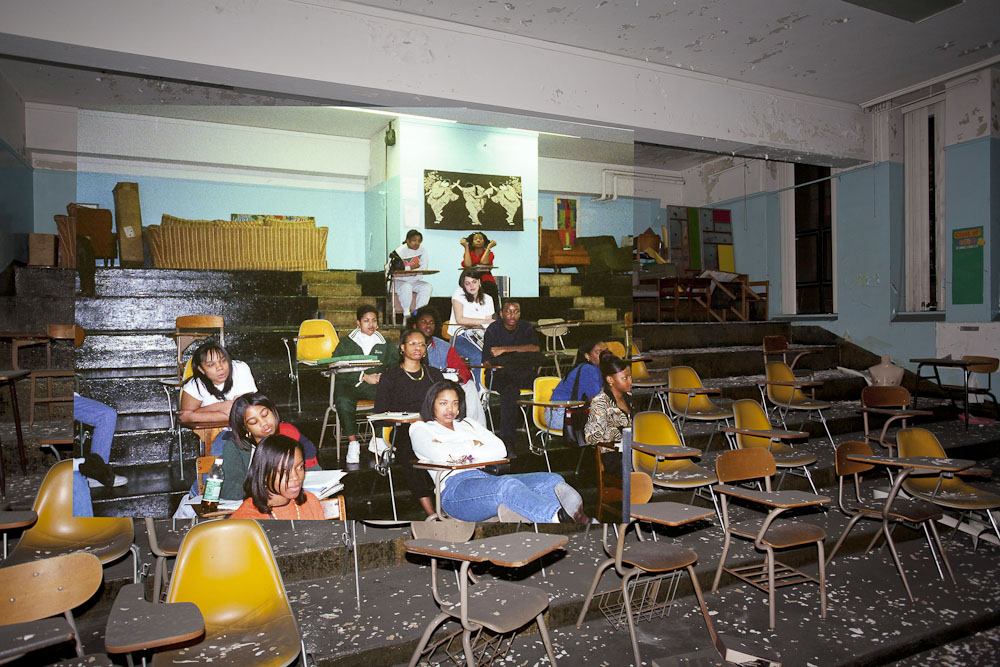
Photo by Detroiturbex.cm

Photo by Detroiturbex.com

Recently I have taken an interest in using digital means to recount history. The thing that has taken me most is the use of old photos that are either cut into or superimposed over new photos. The results really give an insight into the history of our modern urban landscape.

The Mail Online has a fantastic example of how photos from World War 2 can be superimposed upon photos of modern France, the effect really makes you think. This article has one of the original photos, the new photo and then one upon the other. So we see soldiers battling through the rubble of the town of Cherbourg in 1944, followed by the same shot taken today and then the two merged.

The obviously new addition of the cycle paths and modern signs  in some way makes the photos even more dramatic, as it brings to life the reality of how we live today with the ghost of war ever present.
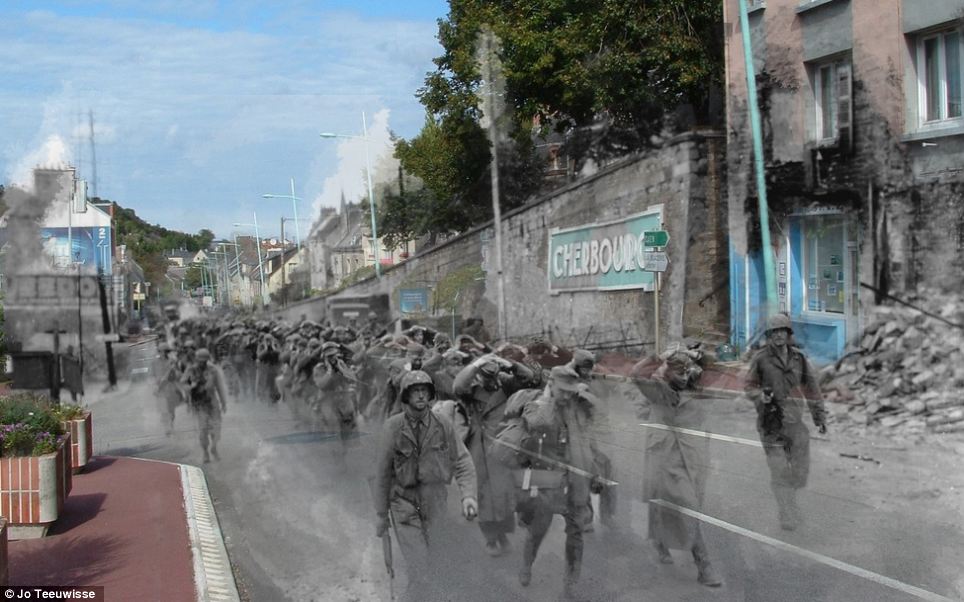
Photo taken from the Mail Online

Photo taken from the Mail Online

There are 11 fully merged photos to follow, and they all tell their own story.

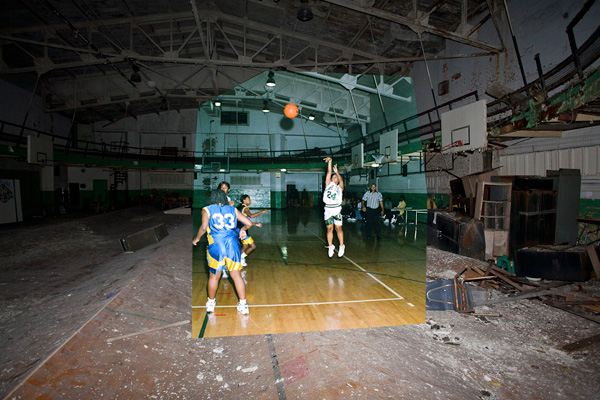
Another site that offers a wealth of photos and an incredible history lesson is called Detroiturbex. The opening photo above is taken from their website.  As we might imagine the project involves documenting the history of Detroit, and features photos of the city throughout its history, with a large section of connected, re-made and superimposed photos that recount the rise and fall of one of Americas largest industrial cities.

To give you an idea of what has happened to this great city in recent history, in 1950 it had almost 2 million inhabitants, but today only a third of that population remains. This means that more than 80,000 buildings lay derelict. The city has been declared bankrupt so there is no money to maintain any of the structures, and the results are there for all to see.
Basketball taken from the website

Basketball taken from the website

This is a big site, but a look at the index will guide you through a fantastic collection of photos, with the Now and Then section offering the matched and superimposed images. It is well worth a half hour to browse them all though, another reality of the American dream.

Flickr has a group called Looking into the Past that contains hundreds of images similar to those described above, which leads me to believe that it must be quite an easy thing to do. They certainly present an interesting historical perspective upon everyday modern life.

A quick search will find you plenty of others, including old postcards held over the original locations, very effective and absolutely DIY for those of us who like the analogue approach to life.
Alternative Food Networks

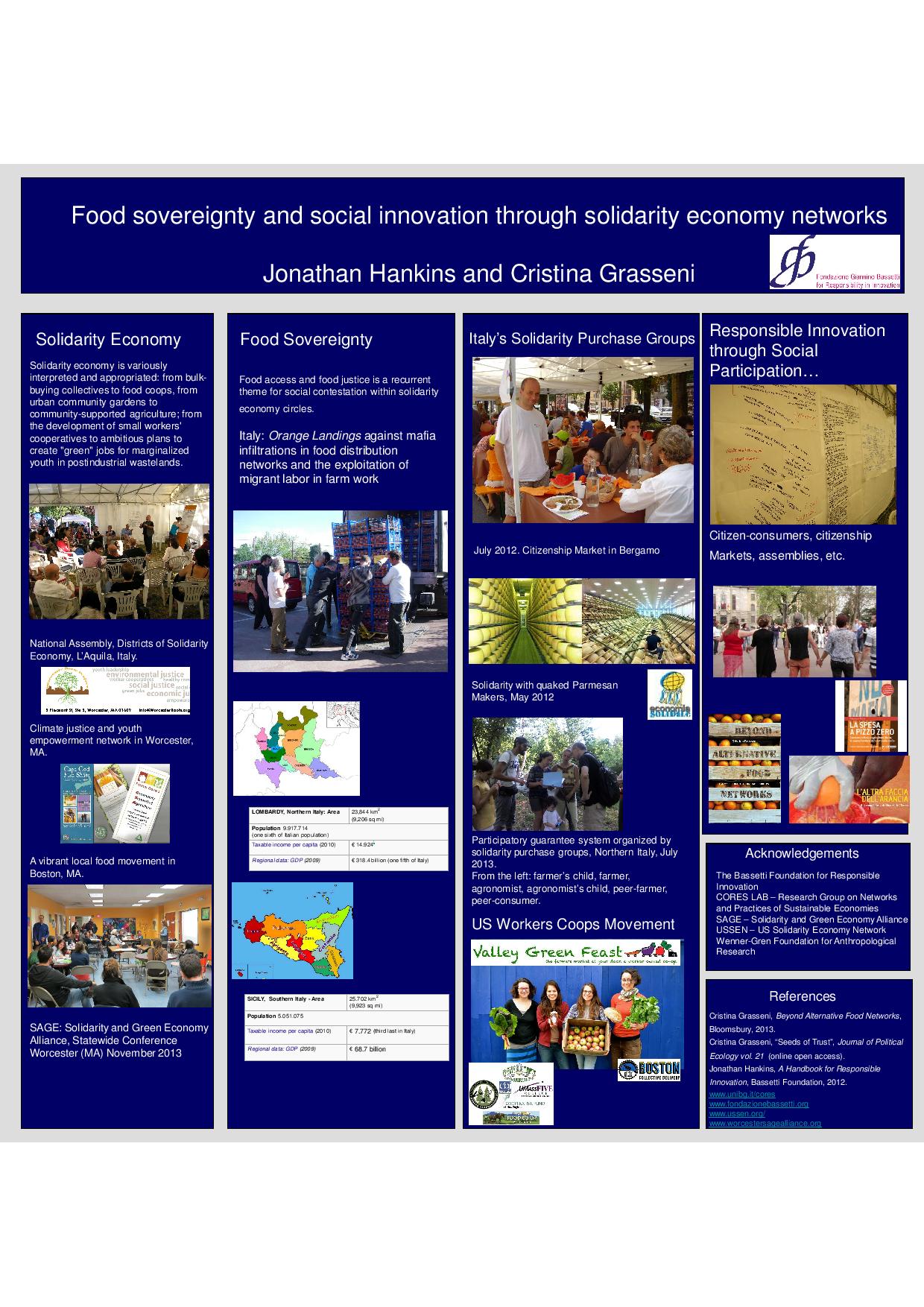
Jonnys poster-page-001
Today I am delivering my poster at the International Responsible Innovation meeting in the Hague, Netherlands. As you see above it is about alternative food provisioning networks both in Italy and the USA. The poster was prepared with Utrecht University anthropologist Cristina Grasseni. Food sovereignty and social sustainability through solidarity economy networks: a case study of responsible innovation describes how grassroots networks are rethinking the core elements of contemporary society: the market, the commons, and the role of the individual as citizen, consumer, and producer. From “political consumers” to “consumer-citizens”.

The presentation is based upon fieldwork conducted in Italy and the USA that aims to provide data about concrete examples of real-world, bottom-up, responsible-innovation attempts in the field of provisioning for the family. Much of the Italian research is described in Grasseni’s latest book that I reviewed as part of my food series, while the US data is as yet unpublished and out for its first airing.

The Netherlands government has been at the forefront of responsible innovation research for several years now, as it has funded the project that this conference relates to. In some ways it has made the country a hub for European researchers in the field, and I myself will transfer this year to Utrecht to follow developments first hand.

Readers who wish to review the extended abstract can find it here.

Possession App Review

Watching a soccer match is exciting enough on its own. Imaging taking that experience and making it more engaging by being able to keep your own stats on the game while you watch. You don’t need pencil and paper. Nope, there is an easier and more technology-driven way to do it, keep it, and share it.

Possessions, by John Shackleford, is a neat little app that allows you to keep score and more of each game you attend or watch on TV. You could be watching a game at a youth soccer match, or you could be watching the English Premier League. Either way, this app that works on both iPad and on iPhones will be at the ready, allowing you to tap away game scores, shots and corners without blinking an eye. The app has a bit of a price tag, costing $10.99, but it packs a punch in valuable data, whether you use it to strategize for your child’s team, or you map trends for your favorite team as it treads its way towards the World Cup.

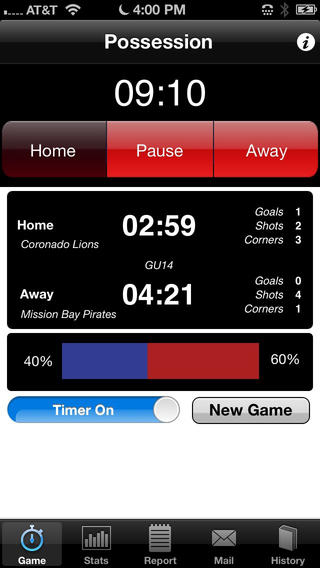
Possession screenshot

Once you download the app, you’ll see how easy it is to use. The main screen features a timer that can be “assigned” to each team as possession of the ball passes between them. This is done with just tapping either Home or Away. The timer will time the game in general and will keep individual possession times for each team as you indicate the switch when the ball changes “hands.” The main screen also shows the number of Goals, Shots and Corners for each team as well as a clear graphic that indicates the percentage of possession time for each team. This is essentially a bar colored in two shades, each increasing or decreasing in width to represent possession time by each team, and is also flanked by a percentage on each end.

Starting stat collection requires you to press New Game and then swipe the Timer ON. Before turning on the timer, it is wise to move over to the Report page so you can enter each team’s name, their gender if you wish, their age and then select whether or not you wish final stat reports to be emailed. On the subject of emailing, you can specify email recipients on the Mail page. This makes sharing much easier and allows others on the team, like the coach and fellow parents to see the stats. If players are older kids, they may want to get in on the action as well.

The easiest way to use this app is to set up the static information on the Report page first, and then move over to the Game screen, or main page. Next, start the timer and select the team in possession. Now, you might want to quickly move over to the Stats page so you can easily tap on Corners and Shots as they happen. Soccer moves fast, so you need the screen up and ready, or you may miss a moment.

The only thing that I found to be a bit tricky in using this app is the need to switch between the Game and Stats screens. It would be easier to use if you had controls to switch possession and update shots, goals and corners, all on one page. Yet, overcoming this one issue, Possession can make data collection on games much easier and produce a wealth of knowledge for your team for seasons to come.