Buying an iPhone 4S is more complex than brain surgery! There’s a mind boggling 6 options to choose from if you count the black and white colour variants. Next you’ve got to make the dare devil decision as to how much memory you’ll need (or rather how much memory you can afford!).
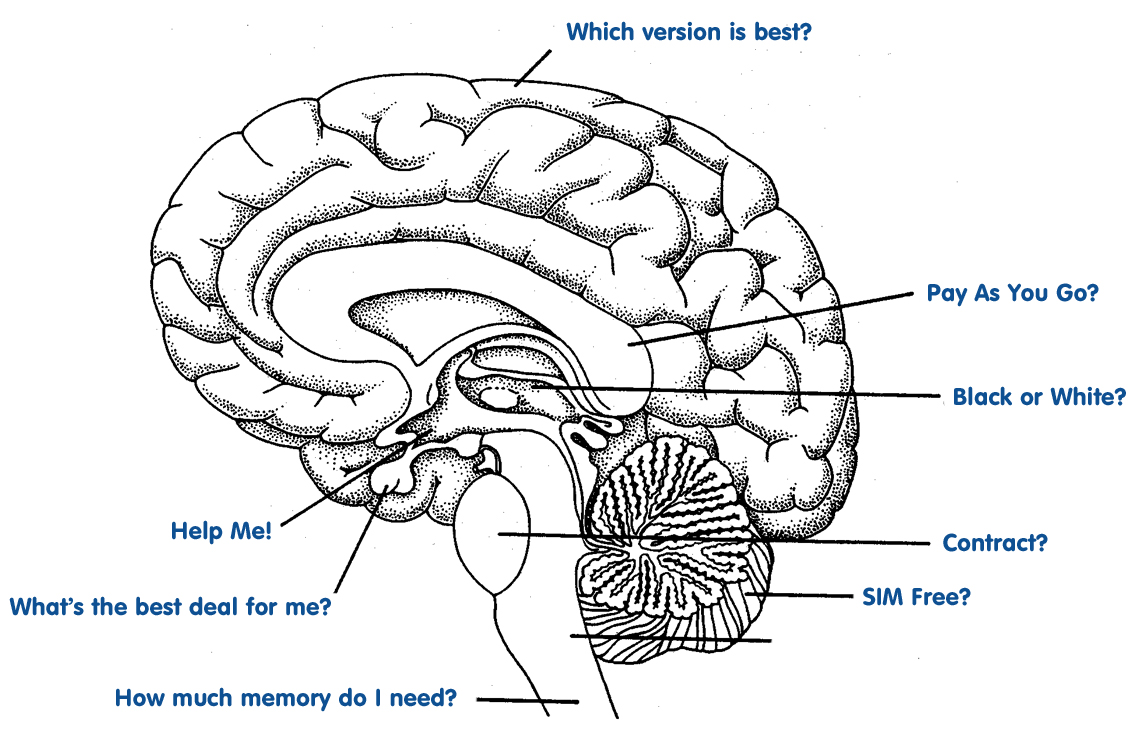 After all that it’s a question of whether you buy SIM free, pay as you go or on contract. Choose to get the iPhone 4S on contract and you’ll walk into yet another wall of confusion.”Help!” you say! If you’re thinking of getting your paws on Apple’s latest must-have, then the following guide should point you in the right direction.
It don’t matter if you’re black or white!
There’s no difference whatsoever between the white and the black iPhone 4S. The white option is slightly more prone to finger marks as the black is to dust gathering. Whether you choose virgin white or classic black is down to taste. For whatever reason, the white iPhone 4S does sell on eBay for a touch over what the black fetches – so if you’re concerned about re-sale value, white is right for you.
Don’t forget your memory!
The difference in price between the 16GB and 64GB versions is around £200, so you best think carefully about how much storage you’ll actually need. With the A5 chip from the iPad on board, the iPhone 4S is capable of delivering a gaming experience like never before, but as such we can expect the games themselves to grow in size considerably (the current version of FIFA 12 for the iPhone is already more than 1.5GB). Download more than 10 games of this size and you can kiss your 16GB goodbye (let alone any music, films, pictures, videos and email attachments you want to store on your device).
Own an iPhone already? Check to see how many MB’s you’ve munched and then add 15% on top – if this adds up to more than 16GB, splash out the extra and go for 32GB option. On the hole, the 64GB monster should be reserved for the rich or super-geeky – but if you’re not the one stumping up the cash, then why not?
SIM free, Pay As You Go, or Contract?
OK, so as you might expect, there’s no definitive right answer here. There’s plenty of reasons that you might choose any of these options – it’s just a case of figuring out which is best for you.
A SIM free iPhone 4S will suit those who don’t want to be ‘tied in’ to a particular network. Perhaps you move regularly between two locations where signal is only available on a certain network, or maybe you’re moving abroad imminently.
Choosing Pay As You go for regular use will always work out more expensive than contracts, but if you want total control over your bills it’s worth investigating further. Remember that if you buy the iPhone 4S on Pay As You Go, it’ll be locked to the network that you bought it with.
Although SIM free deals are marginally more expensive than Pay As You Go, if you’re planning on switching networks, unlocking your iPhone 4S might be more hassle than finding an extra tenner for the SIM free option.
If you make a lot of calls (by a lot I mean more than 300 minutes worth per month) an iPhone 4S contract will work out far cheaper than Pay As You Go, plus you won’t have the hassle of ‘topping up’ regularly.
Another advantage of choosing an iPhone 4S on contract is the inclusive data. Unless you’re going to be using your 4S for phone calls alone, it’s likely you’ll need to connect to the internet. Email, apps, social media and of course web browsing will all use ‘cellular data’. Most contracts will come with a monthly data allowance of between 250MB and 1GB (stay away from contracts that don’t!).
Finding the best iPhone 4S contract for you
Finding the most suitable contract is largely a case of matching what you’ll use with what’s on offer, then finding the best price. If you’e already on contract then finding out how many minutes, texts and how much data your using is simple. Just give your network a call and ask!
Most of the UK networks now have login areas of their websites where you can view your latest bills. Take a look at your usage from the past 3 months and note down how many minutes of calls you’ve made, how many texts you’ve sent and the number of MB’s you’ve downloaded.
Now you know roughly what you’ll use in a month, the quickest way to find the best iPhone 4S deals is to compare contracts using a specialist mobile phone contract comparison site. These sites make it really easy to pick and choose your options and see all the tariffs available without the need to visit every network’s website. Buying your iPhone 4S online also means you avoid commission thirsty ‘assistants’ you seem to find in every high street mobile phone shop.
When you make your contract comparison, you’ll notice that the shorter the tariff length, the more expensive the monthly cost tends to be. 12 month contracts are the most expensive and although networks must offer 1 year deals by law, they more than make up for it with excessive monthly charges. Most will find that a 24 month contract works out cheapest with 18 month tariffs falling somewhere in between.
So that’s about it! I hope you enjoyed my first post on Technology Bloggers, please comment below and I’ll do my best to answer questions.